Last year, my Tailwind bill quietly crept up while my free posting limit shrank to almost nothing. I was paying more to do less. That was the moment I started hunting for a real Tailwind alternative — one that fit a blogger’s budget without cutting my Pinterest traffic.
This post is the honest result of that search. I’ll show you why I left, what I moved to, and how the two tools stack up on price and features in 2026. By the end, you’ll know whether switching makes sense for you too.
Disclosure: I build PinBoostr, the tool I recommend below. I’ve tried hard to keep this fair — including a whole section on where Tailwind still beats us. Read it and judge for yourself.
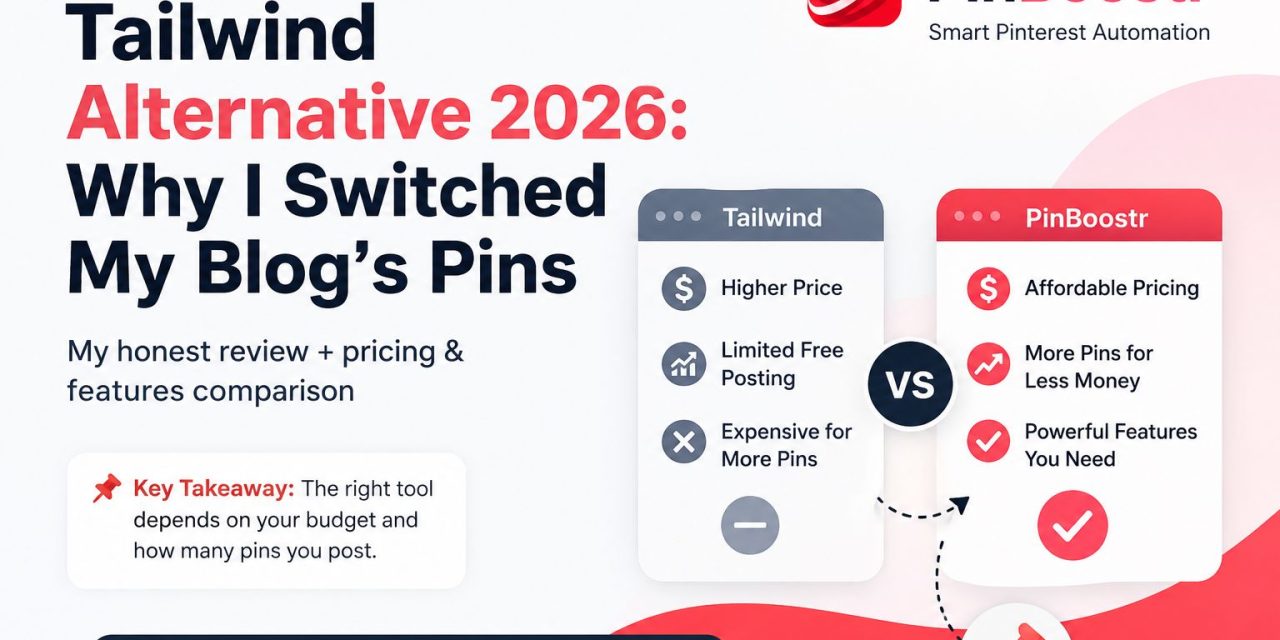
📌 Key Takeaway: A Tailwind alternative is any tool that schedules and grows your Pinterest content for less money or with features Tailwind lacks. The right pick depends on your budget and how many pins you post.
Table of Contents
- What is a Tailwind alternative?
- Why I started looking for one
- What I switched to
- PinBoostr vs Tailwind: the honest comparison
- Where Tailwind still wins
- How to switch without losing traffic
- FAQ
What is a Tailwind alternative?
What is a Tailwind alternative? A Tailwind alternative is another Pinterest scheduling tool you use instead of Tailwind. People look for one when Tailwind feels too expensive, too limited, or missing a feature they need.
For most bloggers, the goal is simple. You want to post pins on autopilot, drive traffic to your site, and not overpay for it. So the best alternative is the one that does that for less hassle and less money.
Why I started looking for one
Tailwind is a solid tool. It’s Pinterest’s oldest official partner, and it’s been around for over a decade. But three things pushed me to look elsewhere.
The free plan got tiny
Tailwind’s free plan used to be generous. In 2026, it caps you at just 5 posts a month on one account. That’s not enough to grow anything. It’s a demo, not a starting point.
The credit system gets in the way
Tailwind now runs on “credits.” When you run out, the AI features simply pause until your next billing cycle — or until you buy more. Need extra? Credits refill at around $10 per 100. I didn’t want my tools switching off mid-month.
The real cost adds up fast
Paid plans start around $18–$20 a month and climb to $50–$80 a month for higher tiers. Tailwind also splits its Pinterest features into separate products now, so a full setup can mean stacking subscriptions. Run more than one Pinterest account and the price climbs again.
⚠️ Warning: Prices and limits change often. Always check Tailwind’s current pricing page before you decide — don’t take any blog’s numbers (including mine) as final.
So I wasn’t angry at Tailwind. I just wanted more pins for my money and tools that don’t pause on me.
What I switched to: PinBoostr
After testing a few options, I moved my blog over to PinBoostr, an AI-powered Pinterest automation tool. Here’s what won me over.
It builds pins from a URL
I paste a blog post or recipe link, and PinBoostr designs the pin, writes the title and description, and suggests the right board. Then I approve it before it goes live. No designer, no blank canvas.
It posts through Pinterest’s official API
This mattered to me. PinBoostr publishes through Pinterest’s official API using a secure login. It doesn’t store your password or scrape the site. That’s the safe way to automate.
It warns me before my reach drops
This is the feature I didn’t know I needed. Pinterest sometimes quietly throttles accounts, and most tools say nothing. PinBoostr watches your reach daily, flags a drop the moment it starts, tells you why, and eases off posting so your account can recover.
💡 Pro Tip: A reach warning saves you weeks of guessing. By the time most people notice a traffic drop in Google Analytics, the damage is already done.
For pricing, PinBoostr’s Starter plan is $19.99 a month and gives you 15 pins a day — that’s roughly 450 pins a month, far more volume than entry Tailwind plans at a similar price. There’s a free plan to test it first, and a 14-day refund window if it’s not for you.
You can also try PinBoostr’s free Pinterest tools without signing up.
PinBoostr vs Tailwind: the honest comparison
Here’s the side-by-side I wish I’d had when I was deciding. Treat the prices as ballpark figures and confirm both before buying.
| What matters | Tailwind | PinBoostr |
|---|---|---|
| Starting paid price | ~$18–$20/mo | $19.99/mo |
| Free plan | ~5 posts/month | Limited free plan |
| Monthly pin volume (entry plan) | ~150 posts | ~450 pins (15/day) |
| AI pin design from a URL | Limited | Yes, core feature |
| Reach-drop early warning | No | Yes |
| Publishing method | Official partner | Official Pinterest API |
| Other platforms (Instagram, etc.) | Yes | Pinterest only |
| Best for | Multi-platform creators | Pinterest-first bloggers |
The short version: if Pinterest is your main traffic source, PinBoostr gives you more pins and a safety net for less effort. If you juggle several platforms, keep reading — Tailwind may still be your pick.
Want the full breakdown? See PinBoostr vs Tailwind and the best Pinterest automation tools for 2026.
Where Tailwind still wins
I promised honesty, so here it is. Tailwind beats PinBoostr in a few real ways.
It covers more platforms. Tailwind schedules Instagram and Facebook too. PinBoostr is Pinterest-only. If you want one tool for everything, that’s a point for Tailwind.
It has Communities. Tailwind’s Communities (group boards) can boost your reach by sharing pins with other creators. PinBoostr doesn’t offer that.
It has a longer track record. Over a decade as Pinterest’s official partner buys trust. PinBoostr is newer, even if it’s built on the same safe API approach.
So pick Tailwind if you need multi-platform scheduling or Communities. Pick a focused alternative if Pinterest is your priority and you want lower cost per pin.
How to switch without losing traffic
Worried that moving tools will tank your Pinterest reach? It won’t, if you do it gently. Here’s the exact order I used.
- Don’t cancel Tailwind on day one. Run both for a week so nothing pauses.
- Connect your Pinterest account to the new tool through its official login.
- Start slow. Schedule a handful of pins a day at first, not your full volume.
- Watch your reach for the first two weeks. A safety feature here is gold.
- Once it’s stable, raise your daily pins and cancel the old subscription.
📌 Key Takeaway: Switching tools is safe when you overlap them and ramp up slowly. Sudden volume spikes are what hurt accounts, not the switch itself.
That’s it. The whole move took me about ten days, and my traffic never dipped.
FAQ
What is the best Tailwind alternative in 2026?
It depends on your goal. For Pinterest-first bloggers who want lots of pins and a reach safety net, PinBoostr is my pick. For people who also post to Instagram and Facebook, Tailwind itself may still fit best.
Is there a cheaper Tailwind alternative?
Yes. Several Pinterest tools match or beat Tailwind’s entry price while offering more monthly pins. Compare the pin volume, not just the headline price, since that’s where the real value hides.
Is Pinterest automation safe for my account?
It’s safe when the tool uses Pinterest’s official API and a secure login, rather than scraping or storing your password. Always check how a tool publishes before you connect your account.
Will switching tools hurt my Pinterest traffic?
Not if you switch slowly. Run both tools briefly, start with a low number of pins, and ramp up over two weeks. Sudden volume changes cause problems, not the switch itself.
Can I try a Tailwind alternative for free?
Most offer a free plan or trial. PinBoostr has a limited free plan plus a 14-day refund window, so you can test the workflow before paying.
Final thoughts: should you switch?
If your Tailwind bill keeps rising while your limits shrink, it’s worth testing a Tailwind alternative before your next renewal. For me, moving to PinBoostr meant more pins, lower cost per pin, and a warning system that protects my reach — without giving up a safe, official publishing method.
Try the free plan, schedule a week of pins, and watch what happens to your traffic. If Pinterest matters to your blog, that small test could pay for itself fast.